
TimeNeatly / UK recruitment & staffing agencies
Agency timesheet software
From client timesheets to approved payroll hours. TimeNeatly brings spreadsheets, PDFs and photos together, totals hours per worker and client site, and keeps weekday and weekend pay separate.
No card needed. Compare plans and worker allowances.
Inside TimeNeatly
One pay period. Every worker. Every site.
How an agency pay run works
01
Collect client timesheets
Upload CSV, Excel, Word, PDF, PNG or JPEG files. Keep existing agency templates and photos of paper sheets; check the extracted names, dates, client companies and hours before saving.
02
Review and approve hours
Managers approve or reject entries with a reason. Invited client companies see their own timesheets. Duplicate shifts, days over 13 hours and weeks over 48 hours are flagged for review—not a legal compliance verdict.
03
Check weekday and weekend pay
Save each worker’s normal, overtime and Saturday–Sunday rate. Monday–Friday hours and weekend hours are shown separately; weekend hours do not count towards weekday overtime.
04
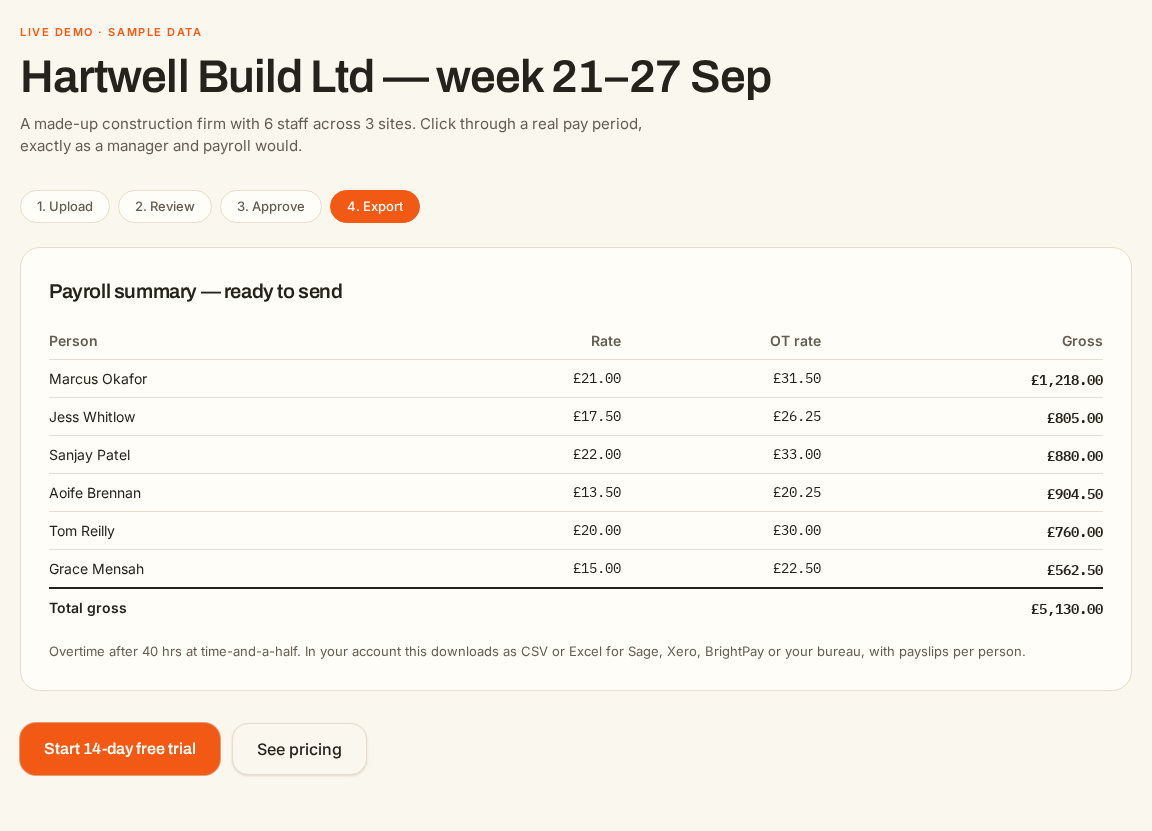
Prepare the payroll handoff
Download approved hours by worker, project and date, with project subtotals and combined totals. Business and agreed Ultimate Business accounts can email private payroll-file and payslip download links to their payroll contact.
Before you send payroll
- Check each operative’s hours by date in the calendar, including weekend shifts.
- Use reconciliation to spot hours that disagree across the dashboard and payroll file.
- Confirm pay rates and resolve outstanding approvals before exporting.
- Keep client and project totals alongside individual worker totals and the audit trail.
Choosing timesheet software for your agency
Start with how your clients send hours today. If you receive mixed files from several sites, check whether the software reads those formats, records the client company, restricts client access and makes corrections visible. Then check separate weekend rates, approval controls and the exact file your payroll contact needs.
TimeNeatly focuses on that preparation and handoff. Test your own sheets during the trial and compare the resulting totals with your existing records before your first pay run.
Agency timesheet questions
- What is agency timesheet software?
- It brings worker hours from different clients into one place so an agency can check, approve and total them for payroll. TimeNeatly is built around reading the sheets clients already use, rather than requiring every client to adopt a new template.
- Can clients approve only their own timesheets?
- Yes. Invite a client company by email and match it to the company name recorded on the timesheets. Its portal shows that company’s hours, with approval or rejection and a recorded reason. Payroll payslips contain worker pay information and are not shared through this client approval view.
- Can we upload photographs and branded sheets?
- Yes. PNG and JPEG images are supported alongside CSV, Excel, Word and PDF. Clear photographs and readable layouts give better results. Review the extracted entries before approving them; unreadable or ambiguous information may need correcting.
- How are weekend hours paid?
- Each worker can have a separate Saturday–Sunday hourly rate. If none is set, the normal rate is used. Weekend hours are separated from Monday–Friday hours and do not contribute to the weekday overtime threshold.
- Does TimeNeatly replace our payroll provider?
- No. It prepares approved hours, pay calculations and payroll files. Tax and National Insurance figures are UK 2026/27 estimates; your payroll provider remains authoritative. Premium submission is an email handoff with private, expiring download links—not a direct Xero, Sage or BrightPay connection, and not HMRC filing.
- Can we try it before subscribing?
- Yes. The free trial lasts 14 days and does not require a card. See the pricing page for current monthly and annual prices, worker allowances and the agreed Ultimate Business package.